Friday, January 31, 2014
Know the Limitation of a blogger which is provided by Google.
Posted by Lalit Maheshwari at 12:15 AM 1 comments
Labels: blogger help, Blogger Limitation, Blogger Rules, Google, Google Help, Google Storage
Saturday, January 25, 2014
Add a digital Signature to your blog post/Add a signature.
Dear all visitor already i have share my thought how to create a digital/online Signature now its time to upload your signature with your blog/website post.
Now follow these few step with me to upload your Signature.
First of all you need to upload your generated Signature picture to your favorite Image Host .
Posted by Lalit Maheshwari at 7:23 PM 2 comments
Labels: blog, blogger help, Create Signature, Digital Signature, Post Signature, Upload Signature
Thursday, January 23, 2014
Create a Online Signature(Digital Signature) for your blog/website post.
Posted by Lalit Maheshwari at 12:56 PM 1 comments
Labels: Blogger, blogger help, Create Signature, Digital Signature, MyLiveSignature, Online Signature, Post, Upload Signature, Website
Wednesday, January 22, 2014
Add a Table in your blogger/website post with a full rest.
Posted by Lalit Maheshwari at 11:31 AM 1 comments
Labels: Add a Table, blogger help, Tableizer
Tuesday, January 21, 2014
Submit your URL(Blog/Website) free with high page rank(Page rank 6) Directory.
Posted by Lalit Maheshwari at 10:49 AM 0 comments
Labels: Backlink, blogger help, Directories, Page Rank, PR, SEO, Submission, Submit URL, Top Rank
Submit your URL(Blog/Website) free with high page rank(Page rank 7) Directory.
Posted by Lalit Maheshwari at 10:36 AM 0 comments
Labels: Backlink, blogger help, Directories, Google, Page Rank, PR, SEO, Submission, Submit URL, Top Rank
Thursday, August 9, 2012
Add the twitter button below every post or below every post title.
Follow me to add twitter buttons after every post.
![]() |
| Figure 1 |
Now get the find box by pressing the Ctrl+F key and type below Blue code in to the find box than Enter and find.
Posted by Lalit Maheshwari at 12:00 AM 2 comments
Labels: Add Twitter, Twitter, Under Post
Monday, August 6, 2012
Twitter Button / Create Twitter follow button for your Blogger or Website and Installed.
| Figure 1 |
![]() |
| Figure 2 |
Posted by Lalit Maheshwari at 3:08 PM 0 comments
Labels: Add Follow Me, Add Twitter, Buttons, Follow Me, Hashtag, Mention, Share a link, Twitter, Twitter Buttons
Wednesday, August 1, 2012
Google Webmaster tool Indexes 26 Pages when you submit your blogger's sitemap
Submit these below code if the posts are up to 1000
Submit these below code if the posts are up to 1500
Posted by Lalit Maheshwari at 11:26 AM 0 comments
Labels: Atom, Blogger Tricks, Google, Sitemap, Webmatser tool
Thursday, July 26, 2012
Why You need to Ping Your Website or Blogger and Ping it with great tool
Posted by Lalit Maheshwari at 1:59 PM 1 comments
Labels: Ping, Ping URL, Ping-o-Matic, Pinging Blogger, Send Ping
Wednesday, July 25, 2012
Google Language Translation tool add to your Blogger/Website
Translation Language tool is for the visitors who don't understand your website language and want to read your blogger in their own language your website instantly available in 60+ languages with Google Language just follow me to place a language tool on your Blogger/Website.
Click here for Google Translate tool than see at the right side a blue color button will appear click on Add to your website now see picture below.
Now it will ask for the Blogger or Website name put it here your URL than click on Next see picture below.
After filling website info add your plugin language here you can choose a single specific language and can choose all language,now choose display mode three option are there Horizontal,Vertical and Dropdown after this a Advanced tab will be there,than click on Get Code see picture below.
Copy the above code first and log-in to your blogger Than Click on Template >Edit HTML>Proceed find the .</head>
Note : find box will come with Ctrl+F just find the code.
Place this meta tag before the colsing </head> see picture below.
Now Put the second code log-in to your blogger Than Click on Layout > Add a Gadget a pop up window will open find the HTML JavaScript paste the code in Content Area and save see below.
Now move to your Blogger or Website the Google Languages tool will appear on it just click on it and see the various Languages see below also.
Posted by Lalit Maheshwari at 4:51 PM 6 comments
Labels: Add Language, Google Language, Language, Translation, Website Translate
Tuesday, July 24, 2012
Submit your Blogger/Website to the best Social Bookmarking Websites through a single site.
Posted by Lalit Maheshwari at 4:57 PM 0 comments
Labels: Bookmarking, Social Website, Submission, Submit Blog, Submit URL
Saturday, July 21, 2012
Show Share Buttons are not showing/unhide or working in blogger/blogs
Posted by Lalit Maheshwari at 4:43 PM 1 comments
Labels: Hide Share Buttons, Share Button, Show Share Button, Unhide Share Buttons, Visible Share Buttons
Wednesday, July 18, 2012
Submit your website/Blogger URL to Russian Search Engine Rambler
Posted by Lalit Maheshwari at 12:34 PM 4 comments
Labels: Directories, Rambler, Search Engine, Submit Blog, Submit URL, Webmaster tools, Yandex
Friday, July 13, 2012
Submit Your Blogger/Website To The Leading Russian Search Engines Yandex And Rambler
Submit Your Website To Yandex
Submit your Blogger/Website to the Yandex Webmaster Tool :Click Here to move Yandex Webmaster Tool Direct by default the website will be opened in Russian language see default page below.
Posted by Lalit Maheshwari at 5:01 PM 1 comments
Labels: Directories, Rambler, Search Engine, Submit Blog, Submit URL, Webmaster tools, Yandex
Wednesday, February 29, 2012
Technorati Verification and Claiming for Blogger/Website.
Posted by Lalit Maheshwari at 3:19 PM 1 comments
Labels: Claim, Technorati, Verification
Thursday, February 23, 2012
Add a Gadget Header into Page Element for Blogger.
Note: Never forget to click on Expand Widget Template tag before Edit or backup your Full Template
1. First Sign-in to your Blogger click on Design under the Design Tab you will see Edit HTML click on it see below.
5. Than click on Save Template,go to the Page Element i am sure you will get extra Header Gadget there see Picture also below.
Wednesday, February 22, 2012
Center blog title on blogger/Blogspot/Blog
Note: Before Edit your Template take your Template full Backup.
Note: Never forget to click on Expand Widget Template tag before Edit or backup your Full Template
1. First Sign-in to your Blogger click on Design under the Design Tab you will see Edit HTML click on it see below.
3. Under the header { find the code h1 { by moving your mouse cursor a little down and find h1 { see below.
4. Before doing any changes with your HTML code see the preview by click on PREVIEW tab you will see your header location in preview see below.
5. Now just add the below code under the h1 { code.
6. It will look like see below.
h1 {
text-align: center;
padding:25px 0px 10px 5%;
color:$pagetitlecolor;
background:$pagetitlebgcolor;
font:$pagetitlefont;
letter-spacing:-2px;
See Picture below too.
7. After adding the HTML code you see the preview first before save Template.
The Preview will look like as see below.
For right side code: text-align: right;
For Left side code: text-align: left; (or remove the code)
For Center code: text-align: center;
Posted by Lalit Maheshwari at 11:15 AM 2 comments
Labels: Blog Title, Center, Left, Right
Tuesday, February 21, 2012
Restore a Deleted blog
Note:- Be remember You can restore your deleted blog if you haven't exceeded the 90 days limit.Google provides a 90 days restoration Limit.
Posted by Lalit Maheshwari at 12:38 PM 1 comments
Labels: blog, Deleted blog, Recover, Restore
Friday, February 17, 2012
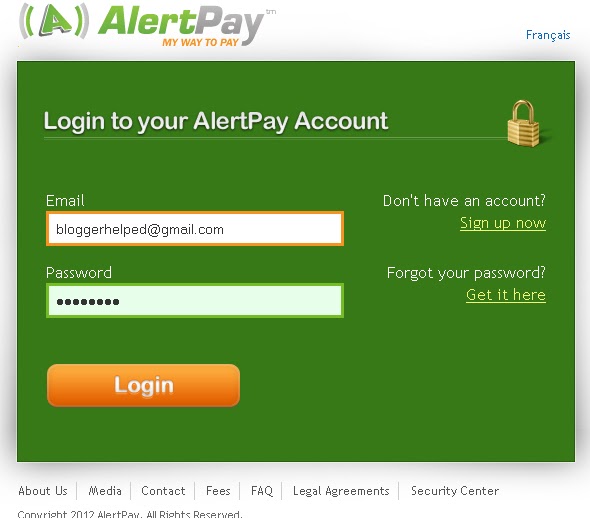
Create/Generate and Add AlertPay Donate Button on your Blog/Website.
Posted by Lalit Maheshwari at 12:59 PM 1 comments
Labels: Alert Pay, blog, Create, Donate Button, Gadget, Generate Button, Website